
Agoda Stays | Hotel Prices, Guest Ratings & Review Counts
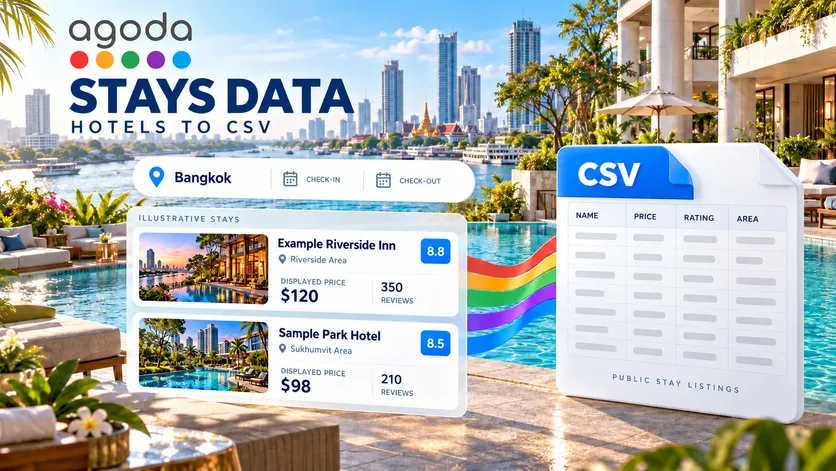
A spreadsheet of Agoda search results for one destination, one row per stay with the price as displayed, guest rating and review count.
Price and number of rows
What this file is
You get a file with one row per stay, read from public Agoda search results for your destination. You can compare hotels for the dates and number of adults you choose.
You can see hotel names and links, with identifying numbers to tell stays apart. Prices keep the wording Agoda displays, with the currency used by the country site. Guest ratings and review counts help you compare stays. Area numbers group stays in the same district, and sponsored results are marked.
The file covers stays worldwide, with more depth in the Asia-Pacific region.
What is inside
Stays and locations
You get hotel names, listing links and identifying numbers, with Agoda area numbers to group stays in the same district.
Prices for your stay
You can compare prices as displayed by Agoda, with the currency of your chosen country site.
Ratings and promotion
You can compare guest ratings and review counts, and see which stays have a sponsored badge.
How to order
- Choose a product and the maximum number of rows you want. Presets are shortcuts, not an order-size limit.
- Say what to collect: the country or city, the search words and the other fields the form asks for.
- Check the source, the requested maximum and the total shown at checkout, then pay with one of the methods shown there.
- We collect the rows, remove empty, failed and duplicate records, and put the file on your order page. An account is optional: you can open the order later with its order number and pickup code.
Most orders arrive within 24–48 hours of payment, and delivery is guaranteed within 72 hours of payment.
What you tell us
When you order, you fill in these fields so we know what to collect:
- Destination city (Required)
- Check-in date
- Check-out date
- Agoda country site
- Adults
Example request: Destination city: Bangkok; Check-in date: 2027-01-15; Check-out date: 2027-01-17
Sample preview
| service | name | hotelId | area | price | priceDisplay | currency | rating | reviewCount | destination |
|---|---|---|---|---|---|---|---|---|---|
| example | Example Riverside Inn | 10481234 | 1840 | $142 | $142 | USD | 4.5 | 128 | example |
| example | Sample Park Hotel | 20489901 | 1840 | $98 | $98 | USD | 4.5 | 128 | example |
Ways to use the file
- Sort by price and guest rating to compare costs with guest scores.
- Group stays by Agoda area number to compare districts.
- Filter out sponsored results to compare the other stays.
Prices are those Agoda displays at collection time; VIP member discounts and host phone numbers are not included.
Good to know
- Only stays are covered, with 1 to 30 nights when dates are set and 1 to 20,000 rows per order.
- Without dates, check-in is three weeks after the order runs for 2 nights; the default is 2 adults on www.agoda.com in US dollars.
- The form has no rating or price filter, so filter those details in Excel after delivery.
- VIP member discounts and host phone numbers are excluded; nothing is booked and no Agoda account is needed.
Questions and answers
What information is in the Agoda hotels file?
Each row describes a stay, with its hotel name, listing link and identifying numbers. You can compare displayed prices and currencies, plus guest ratings and review counts. Agoda area numbers group stays in the same district. The file marks sponsored results and shows the destination and country site used.
What do I enter to order Agoda hotel data?
Enter the destination city, for example Bangkok, and, if you like, a check-in and check-out date; left empty, check-in is three weeks after the order runs and the stay is 2 nights. You can also pick the Agoda country site, which sets the price currency, and the number of adults, 2 if left empty. There is no rating or price filter, so to keep high-rated stays, filter the rating column. No Agoda account is needed.
Which destinations does Agoda data cover?
Public Agoda search results worldwide, with more depth in the Asia-Pacific region. Only stays are covered. Prices follow how Agoda displays them at the moment of collection. VIP member discounts and host phone numbers are not included, and nothing is booked. An order can ask for 1 to 20,000 rows.
How can I compare hotel rates in one Agoda destination?
Order the stays for a destination, for example central Bangkok, then sort by price and rating to set rates against guest scores, and group by area to see which districts cost more. The sponsored column separates promoted stays from regular results. For an upscale shortlist, order Singapore and filter by rating and the number of reviews.
When is an Agoda hotels order delivered?
The search results are read after payment, so prices reflect what Agoda shows for your destination at that time. Most orders arrive within 24–48 hours and every order within 72 hours of payment; download the file from the order page. If fewer stays match than the rows you paid for, the amount for the missing rows is credited to your account balance automatically.
Before you pay
We start collecting once your payment is confirmed and send the file to your order page. Most orders arrive within 24–48 hours, and delivery is guaranteed within 72 hours of payment.
If we deliver fewer rows than you paid for, the amount for the missing rows is credited to your account balance automatically. If you buy without an account, the credit is kept with your order until you sign in or create an account; the refund page explains how.