
Apartments.com Rentals | US & Canada Apartments & Houses
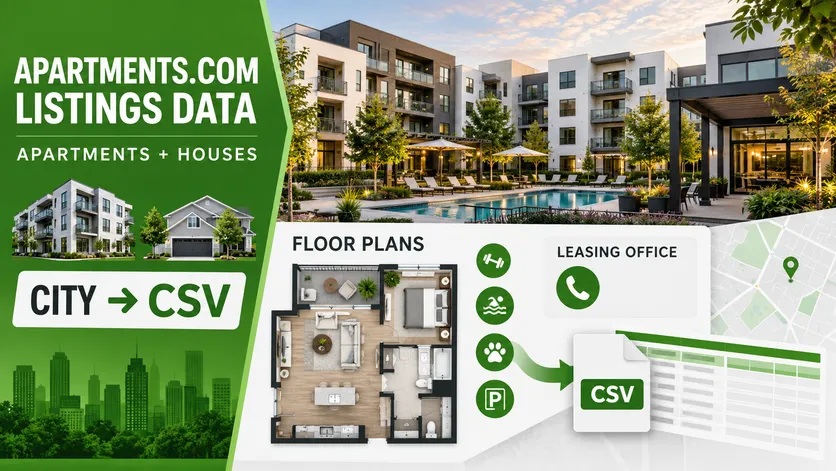
Public Apartments.com rental listings for the US or Canadian place you name, apartments and houses, one property per row with its rent range and contact phone, as a CSV file.
Price and number of rows
What this file is
You get a file with one row per rental property, read from public Apartments.com listings for your chosen place. You can compare apartment communities and individual homes.
You can see property names and locations, with listing links to review homes. Rent ranges include the lowest and highest listed amounts and the wording on the listing. Floor plan and unit counts help you compare building sizes. Published contact numbers let you contact the leasing office or, for some privately rented homes, the owner.
The file covers residential apartments, houses, condos, townhomes and rooms in the United States and Canada.
What is inside
Properties and locations
You can identify each property by name and city or state, with a link to its public rental listing.
Rent ranges
You get the lowest and highest listed rents, along with the rent range as written on the listing.
Building size and choice
You can compare the number of floor plans and units to see how much choice each property offers.
Contact numbers
You get the phone number published on the listing, usually a leasing office but sometimes the private owner.
How to order
- Choose a product and the maximum number of rows you want. Presets are shortcuts, not an order-size limit.
- Say what to collect: the country or city, the search words and the other fields the form asks for.
- Check the source, the requested maximum and the total shown at checkout, then pay with one of the methods shown there.
- We collect the rows, remove empty, failed and duplicate records, and put the file on your order page. An account is optional: you can open the order later with its order number and pickup code.
Most orders arrive within 24–48 hours of payment, and delivery is guaranteed within 72 hours of payment.
What you tell us
When you order, you fill in these fields so we know what to collect:
- City, neighborhood or ZIP code (Required)
- Property type
- Maximum monthly rent in US dollars
- Minimum bedrooms
- Order of results
Example request: City, neighborhood or ZIP code: Chicago, IL
Sample preview
| propertyName | city | state | price | lowPrice | highPrice | telephone | floorplanCount | unitCount | listingUrl |
|---|---|---|---|---|---|---|---|---|---|
| 3 bed terrace near the river | Austin | TX | $685,000 | $685,000 | $685,000 | +1-555-0100 | 87 | 87 | https://www.apartments.com/listing/10481234 |
| 2 bed apartment near the park | Austin | TX | $2,150/mo | $2,150/mo | $2,150/mo | +1-555-0100 | 87 | 87 | https://www.apartments.com/listing/20489901 |
Ways to use the file
- Sort by the lowest listed rent to compare starting costs.
- Compare rent ranges for properties in the same city.
- Sort by the number of units to compare building sizes.
Direct email addresses are not included; published phones can belong to a leasing office or a private owner.
Good to know
- One order covers one US or Canadian place; an unknown place returns an empty file.
- Office and commercial leases, direct email addresses and tour scheduling are not included.
- You can request 1 to 100,000 rows, and missing information stays empty.
Questions and answers
What information is in the Apartments.com rentals file?
Each row describes a rental property, with its name, location and listing link. You can compare the lowest and highest listed rents, with the rent range kept as written. Floor plan and unit counts help you compare building sizes. The published contact number usually reaches a leasing office but can belong to a private owner. Missing details stay empty.
How do I set the city, budget and bedrooms for an Apartments.com order?
Type a US or Canadian place into City, neighborhood or ZIP code, for example Chicago, IL, Austin, TX or Toronto, ON. Use the Maximum monthly rent in US dollars and Minimum bedrooms choices to narrow the list, and pick a Property type, such as Houses, or an Order of results, such as Lowest rent first, if you like. The location is required; the other choices are optional. Then set a whole-number maximum of rows.
Does Apartments.com data include commercial leases or landlord emails?
No. The file covers residential apartments and single-family rentals by default; office and commercial leases are not included. Direct emails are not collected; rows hold the contact phone the listing shows, which for a home let by a private owner can be the owner's own number. Tour scheduling is not part of the product. An order can ask for 1 to 100,000 rows.
How can I compare rent ranges for apartments in Austin and Chicago?
Place one Apartments.com order for Austin and one for Chicago with the same bedroom count and budget. Compare rent ranges, floor plan counts and numbers of units between cities. Keep the published contact numbers so you can call about properties on your shortlist.
When is an Apartments.com rentals file delivered?
Most orders arrive within 24–48 hours of payment and at the latest within 72 hours. Listings are read after you order, so rents and unit counts are those shown on that day. If the city and filters give fewer properties than the rows you paid for, the amount for the missing rows is credited to your account balance automatically. Download the CSV from your order page.
Before you pay
We start collecting once your payment is confirmed and send the file to your order page. Most orders arrive within 24–48 hours, and delivery is guaranteed within 72 hours of payment.
If we deliver fewer rows than you paid for, the amount for the missing rows is credited to your account balance automatically. If you buy without an account, the credit is kept with your order until you sign in or create an account; the refund page explains how.