
Google Ads Transparency Creatives | Headlines & Formats
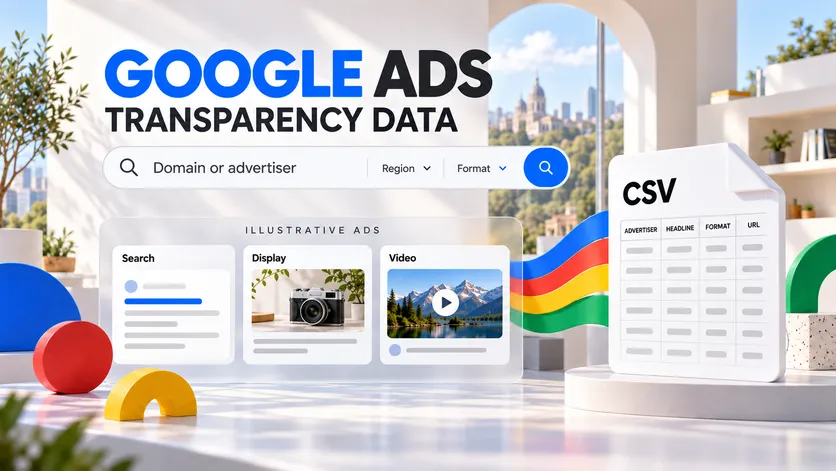
A spreadsheet of ad creatives shown in the public Google Ads Transparency Center for a domain or advertiser, in one region or worldwide, one row per creative.
Price and number of rows
What this file is
You get a file with one row per ad, read from public Google Ads Transparency Center pages.
You can see the verified advertiser name, your search and region, with individual names possible for personal ad accounts. You can compare headlines and ad formats, and see the reported range of search result counts and any warnings. You get links to the ad previews and the pages they point to, with details left empty if the Center does not publish them.
Coverage spans 56 selectable countries or All regions worldwide.
What is inside
Advertisers and your search
You can see the verified advertiser name, your search and region, with individual names possible for personal ad accounts.
Ad text and formats
You can compare headlines and ad formats, and see the reported range of search result counts and any warnings.
Ad previews and destinations
You get links to the ad previews and the pages they point to, with details left empty if the Center does not publish them.
How to order
- Choose a product and the maximum number of rows you want. Presets are shortcuts, not an order-size limit.
- Say what to collect: the country or city, the search words and the other fields the form asks for.
- Check the source, the requested maximum and the total shown at checkout, then pay with one of the methods shown there.
- We collect the rows, remove empty, failed and duplicate records, and put the file on your order page. An account is optional: you can open the order later with its order number and pickup code.
Most orders arrive within 24–48 hours of payment, and delivery is guaranteed within 72 hours of payment.
What you tell us
When you order, you fill in these fields so we know what to collect:
- Search by (Required)
- Domain or advertiser name (Required)
- Region (Required)
- Ad formats
- Google services where the ads were shown
Example request: Search by: Website domain; Domain or advertiser name: nike.com; Region: United States
Sample preview
| region | searchMode | searchValue | targetLabel | advertiserName | creativeId | headline | destinationUrl | previewUrl | formatCode |
|---|---|---|---|---|---|---|---|---|---|
| TX | example | example | example | Spring sale on ceramic mugs | 10481234 | Spring sale on ceramic mugs | https://adstransparency.google.com/?id=10481234 | https://adstransparency.google.com/?id=10481234 | example |
| TX | example | example | example | Free shipping on starter kits | 20489901 | Free shipping on starter kits | https://adstransparency.google.com/?id=20489901 | https://adstransparency.google.com/?id=20489901 | example |
Ways to use the file
- Filter by ad format to compare text, image or video ads.
- Count ads by landing page to compare where they send people.
- Compare headlines for ads from the same advertiser.
Details the Transparency Center leaves empty stay empty in the file; phone numbers and emails are never included.
Good to know
- Coverage is public ads across 56 selectable countries or All regions worldwide.
- For Website domain, enter a bare domain without https:// or a path.
- Spending, bidding strategies and audience targeting groups are not disclosed; phone numbers and emails are never included.
- You can request 1 to 100,000 rows; fewer arrive if fewer ads match.
Questions and answers
What information is in the Google Ads Transparency file?
Each row describes one ad, with its verified advertiser name, headline and format. You can see your search and region, the reported range of result counts and any warnings. Links open the ad preview and its landing page. Details the Center leaves empty stay empty.
How do I search Google Ads Transparency by domain and region?
Under Search by choose Website domain or Advertiser, then enter a bare domain such as example.com, or the advertiser name as the Transparency Center shows it, in Domain or advertiser name. Pick a Region, for example Vietnam, or All regions for worldwide. Ad formats (Text, Image, Video) and Google services where the ads were shown, such as YouTube or Google Search, are optional filters.
Is Google Ads Transparency data limited to one country?
No. You can choose from 56 countries under Region, or All regions for worldwide; Vietnam is only an example. The file covers public ads on guest-visible pages. Advertiser spend, bidding strategies and audience targeting segments are not included, and no private phone or email is given. An order can ask for 1 to 100,000 rows.
Can I list only the YouTube video ads of one advertiser?
Yes. Choose Advertiser under Search by, enter the advertiser name, pick a Region or All regions, and tick Video under Ad formats and YouTube under Google services where the ads were shown. The rows then show each ad’s headline, landing page and preview link, so you can review a competitor's video ads and where they send traffic. The same order shape works for a domain, such as example.com with Vietnam as the Region.
When is a Google Ads Transparency order delivered?
The ads are read from the public Transparency Center pages after your order is paid. Most files arrive within 24–48 hours and the latest delivery time is 72 hours after payment; you download the file from the order page. If fewer ads match than the rows you bought, the amount for the missing rows is credited to your account balance automatically.
Before you pay
We start collecting once your payment is confirmed and send the file to your order page. Most orders arrive within 24–48 hours, and delivery is guaranteed within 72 hours of payment.
If we deliver fewer rows than you paid for, the amount for the missing rows is credited to your account balance automatically. If you buy without an account, the credit is kept with your order until you sign in or create an account; the refund page explains how.