
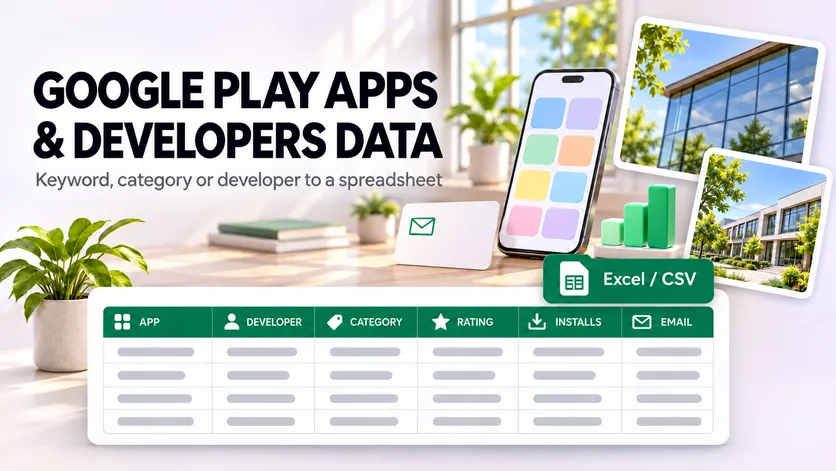
Google Play Apps | Installs, Ratings & Developer Contacts
Android apps and the developers behind them, in one sheet.
Get a CSV of Android apps from Google Play for one country. Compare popularity and recent updates, with developer contacts included only if published on the app page.
Price and number of rows
What this file is
You get a file with one row per Android app, read from public Google Play app pages for the country you choose.
You can see app names, developers and categories, with links to app listings and privacy policies. You can compare ratings, rating counts, displayed install ranges and the date each app was last updated. You can see whether an app is paid, includes ads or offers in-app purchases, alongside its age suitability rating. You get the email, phone, website and address a developer publishes on the app page, with unpublished details left empty.
Coverage is public Google Play app pages in 183 country stores.
What is inside
Apps and developers
You can see app names, developers and categories, with links to app listings and privacy policies.
Popularity and updates
You can compare ratings, rating counts, displayed install ranges and the date each app was last updated.
Costs and suitability
You can see whether an app is paid, includes ads or offers in-app purchases, alongside its age suitability rating.
Developer contacts
You get the email, phone, website and address a developer publishes on the app page, with unpublished details left empty.
What people use it for
Outreach
Reach app developers
List apps in a niche with the support email and website each developer publishes.
Market
Size a niche
Compare install ranges, ratings and update dates for one search in one country store.
Watch
Track competitor apps
Send your list of package names and see who updated, and how ratings moved.
How to order
- Choose a product and the maximum number of rows you want. Presets are shortcuts, not an order-size limit.
- Say what to collect: the country or city, the search words and the other fields the form asks for.
- Check the source, the requested maximum and the total shown at checkout, then pay with one of the methods shown there.
- We collect the rows, remove empty, failed and duplicate records, and put the file on your order page. An account is optional: you can open the order later with its order number and pickup code.
Most orders arrive within 24–48 hours of payment, and delivery is guaranteed within 72 hours of payment.
What you tell us
When you order, you fill in these fields so we know what to collect:
- Words to search on Google Play
- App package names, one per line
- Google Play country
Fill in at least one of: Words to search on Google Play or App package names, one per line.
Example request: Words to search on Google Play: flashlight; Google Play country: United States
Sample preview
| packageId | name | developer | developerId | applicationCategory | ratingValue | ratingCount | installs | isPaid | containsAds | updatedOn | website | phone | listingUrl | |
|---|---|---|---|---|---|---|---|---|---|---|---|---|---|---|
| com.example.flashlight | Example Flashlight | Example Apps Studio | 5700000000000000001 | TOOLS | 4.6 | 182340 | 10M+ | false | true | 2026-09-18 | support@exampleapps.example | https://exampleapps.example | +1 415-555-0123 | https://play.google.com/store/apps/details?id=com.example.flashlight |
| com.sample.budget | Sample Budget Planner | Sample Finance Labs | 5700000000000000002 | FINANCE | 4.3 | 9120 | 500K+ | false | false | 2026-08-02 | hello@samplefinance.example | https://samplefinance.example | https://play.google.com/store/apps/details?id=com.sample.budget |
Ways to use the file
- Filter for apps with a published email to build a developer contact list.
- Sort by the number of ratings to compare how much feedback apps receive.
- Sort by the last update date to find apps that have not changed recently.
Developer contacts are filled only where the app page lists them; installs are ranges, not exact counts.
Good to know
- Coverage spans 183 country stores; the country sets the page language, and supplied package names override search words.
- Each keyword search returns one Google Play results page; Top Free, Top Paid and Top Grossing charts and individual reviews are not included.
- Install counts are the ranges Google displays, not exact numbers, and unpublished developer contacts stay empty.
- Use developer contacts lawfully; no messages are sent on your behalf.
Questions and answers
What information is in the Google Play apps file?
Each row describes one Android app and its developer, with the category and links to the app and privacy policy. You can compare ratings, install ranges and update dates. You can see whether the app is paid, contains ads or offers in-app purchases. Developer emails, phones, websites and addresses appear only if published.
What do I enter to order Google Play apps for a market?
Enter one of: a search keyword such as flashlight in Words to search on Google Play, or package names such as com.spotify.music under App package names, one per line. Pick the Google Play country, for example United States, United Kingdom, Japan or Germany; left empty, it is the United States store.
Does every Google Play app row have a developer email and exact installs?
No. Email, phone, website and address appear only when the developer lists them on the app page; empty stays empty. Installs are the ranges Google displays, such as 1M+, not exact numbers. Top Free, Top Paid and Top Grossing charts are not available; use a keyword or package names. The product covers 183 market presets; one keyword search returns only the apps on one Google Play results page, so use several keywords for more rows.
How can I build a list of app developers to contact in one niche?
Search the niche keyword in one market, for example flashlight in the United States store, and set the number of apps you want. Each row carries the email, website and phone the developer publishes on the app page, next to ratings, install ranges and update dates, so you can sort by size and activity. Use the contacts lawfully; no messages are sent on your behalf.
How soon is a Google Play apps file delivered?
The app pages are read after you order, so ratings and update dates are current at collection. Most orders arrive within 24–48 hours of payment, and delivery happens within 72 hours at the latest; you download the file from your order page. When a keyword or package list yields fewer apps than you paid for, the amount for the missing rows is credited to your account balance automatically.
Before you pay
We start collecting once your payment is confirmed and send the file to your order page. Most orders arrive within 24–48 hours, and delivery is guaranteed within 72 hours of payment.
If we deliver fewer rows than you paid for, the amount for the missing rows is credited to your account balance automatically. If you buy without an account, the credit is kept with your order until you sign in or create an account; the refund page explains how.