
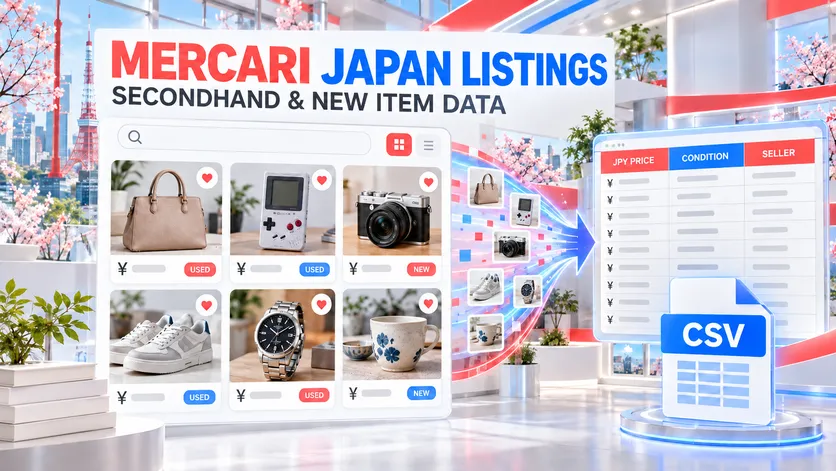
Mercari Japan Listings | Secondhand & New Item Prices
A spreadsheet of secondhand and new items listed on Mercari Japan for your search, with yen prices, brands, seller IDs and item links, collected after you order.
Price and number of rows
What this file is
You get a file with one row per item, read from public Mercari Japan listings without needing a Mercari account.
You can see item titles and photos, with brands and category references if published. You can compare prices in Japanese yen and whether items are on sale or sold, with links to review each listing. You get seller and item reference numbers to group listings, but not seller names, profile links, phones or emails.
Coverage is public listings on Mercari Japan at jp.mercari.com.
What is inside
Items and photos
You can see item titles and photos, with brands and category references if published.
Prices and listing status
You can compare prices in Japanese yen and whether items are on sale or sold, with links to review each listing.
Seller and item references
You get seller and item reference numbers to group listings, but not seller names, profile links, phones or emails.
How to order
- Choose a product and the maximum number of rows you want. Presets are shortcuts, not an order-size limit.
- Say what to collect: the country or city, the search words and the other fields the form asks for.
- Check the source, the requested maximum and the total shown at checkout, then pay with one of the methods shown there.
- We collect the rows, remove empty, failed and duplicate records, and put the file on your order page. An account is optional: you can open the order later with its order number and pickup code.
Most orders arrive within 24–48 hours of payment, and delivery is guaranteed within 72 hours of payment.
What you tell us
When you order, you fill in these fields so we know what to collect:
- Search words
- Mercari brand number
- Listing status
- Item condition
- Order of results
Fill in at least one of: Search words or Mercari brand number.
Example request: Search words: 無印 バッグ
Sample preview
| title | name | itemId | url | price | currency | listingType | brand | sellerName | imageUrl |
|---|---|---|---|---|---|---|---|---|---|
| Ceramic pour-over kettle 1.0L | Ceramic pour-over kettle 1.0L | 10481234 | https://www.mercari.com/ip/10481234 | 29.99 | USD | product | Northwind Home | Northwind Store | https://cdn.example.com/kettle-10481234.jpg |
| Banneton proofing basket 9 inch | Banneton proofing basket 9 inch | 20489901 | https://www.mercari.com/ip/20489901 | 18.50 | USD | product | Example Bakery Lab | Example Market | https://cdn.example.com/banneton-20489901.jpg |
Ways to use the file
- Sort by price to compare asking prices for the same kind of item.
- Group by seller reference number to compare listings from one seller.
- Compare separate files for new and used items to review price differences.
Missing brands and other unpublished details stay empty; seller names and contact details are not included.
Good to know
- Coverage is Mercari Japan at jp.mercari.com only, not US Mercari.
- Mercari brand number must be a number from the brand-page address, not a brand name.
- An empty Listing status returns items on sale, and an empty Order of results uses Recommended; unpublished details stay empty.
- Private chats, full review threads, purchases and bids on your behalf are excluded; you can request 1 to 100,000 rows, but fewer may match.
Questions and answers
What information is in the Mercari Japan listings file?
Each row describes one item, with its title, photo, brand and listing link. You can compare prices in Japanese yen and listing status. Item, brand, category and seller reference numbers help group results. Unpublished details, such as a missing brand, stay empty.
Can I search Mercari in Japanese and leave out sold items?
Yes. Enter the query in Japanese or English, for example 無印 バッグ or switch ソフト 中古, and the number of rows. The form also offers Listing status (On sale or Sold), a Mercari brand number, the Item condition, and the Order of results: Recommended, Newest first or Lowest price first. Leave Listing status empty to get only items still for sale.
Does the Mercari file cover the US site or private chats?
It covers Mercari Japan (jp.mercari.com) only; US Mercari is not available. Private buyer-seller chats, full review threads, seller phone numbers and emails are not included, and nothing is bought or bid on for you. You can ask for any whole number of rows from 1 to 100,000; fewer may match.
How do I price used Nintendo Switch games from Mercari listings?
Order a file for a query such as switch ソフト 中古 and sort the price column to see what sellers ask for each title. A second order for the same query with Item condition set to New, unused (新品、未使用) lets you compare new and used asking prices. Prices are in yen, brands and seller reference numbers help group offers, and the link opens each listing so you can check it.
When will my Mercari Japan file be ready?
Usually within 24–48 hours of payment, and no later than 72 hours. The items are read from Mercari after you pay, so the file is a copy of what was listed and its price at that time. If fewer items match than you paid for, the amount for the missing rows is credited to your account balance automatically.
Before you pay
We start collecting once your payment is confirmed and send the file to your order page. Most orders arrive within 24–48 hours, and delivery is guaranteed within 72 hours of payment.
If we deliver fewer rows than you paid for, the amount for the missing rows is credited to your account balance automatically. If you buy without an account, the credit is kept with your order until you sign in or create an account; the refund page explains how.