
Local businesses & service leads
HomeStars Contractors | Ratings, Phones & Websites
A Canadian city's contractors, in one sheet.
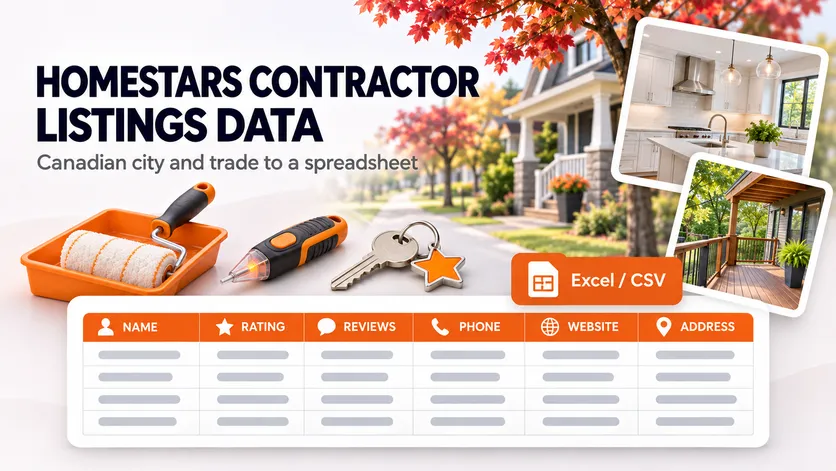
The contractors HomeStars lists for one Canadian city, across all trades, delivered as a CSV file with the phones and websites their public profiles show.
Price and number of rows
What this file is
You get a file with one row per contractor, read from public HomeStars directory and profile pages in Canada.
You can see company names, listed trades and profile links, with reference numbers and the profile’s listing level. You can compare the contractor’s locality and province with the towns they say they serve. You can compare ratings and review counts, with phones and websites included only if public; emails stay empty on directory orders.
Coverage is all listed trades in one Canadian city from the City list.
What is inside
Contractors and trades
You can see company names, listed trades and profile links, with reference numbers and the profile’s listing level.
Locations and service areas
You can compare the contractor’s locality and province with the towns they say they serve.
Ratings and contacts
You can compare ratings and review counts, with phones and websites included only if public; emails stay empty on directory orders.
What people use it for
Leads
Build a local contractor call list
Pick a Canadian city, filter by trade, and keep rows with public phones and websites for outreach.
Suppliers
Find installers by service area
Check listed service areas and locations to see which contractors cover your city and neighboring towns.
Benchmarks
Compare ratings across trades
Sort contractors by rating and number of reviews to compare feedback on home-service firms.
How to order
- Choose a product and the maximum number of rows you want. Presets are shortcuts, not an order-size limit.
- Say what to collect: the country or city, the search words and the other fields the form asks for.
- Check the source, the requested maximum and the total shown at checkout, then pay with one of the methods shown there.
- We collect the rows, remove empty, failed and duplicate records, and put the file on your order page. An account is optional: you can open the order later with its order number and pickup code.
Most orders arrive within 24–48 hours of payment, and delivery is guaranteed within 72 hours of payment.
What you tell us
When you order, you fill in these fields so we know what to collect:
- City (Required)
Example request: City: Calgary, Alberta (all listed trades in the city)
Sample preview
| id | serviceProId | name | rating | reviewCount | phones | web | address | professions | workArea | url |
|---|---|---|---|---|---|---|---|---|---|---|
| example-electric-ltd | 10481234 | Example Electric Ltd | 4.8 | 96 | +1 403-555-0123 | https://exampleelectric.example | Calgary, Alberta, CA | Electrician | Calgary; Airdrie | https://www.homestars.com/profile/example-electric-ltd |
| 2048990-sample-renovations-inc | 20489901 | Sample Renovations Inc | 4.6 | 41 | +1 780-555-0188 | https://samplerenos.example | Edmonton, Alberta, CA | General Contractor; Kitchen Renovation | Edmonton; St. Albert | https://www.homestars.com/profile/2048990-sample-renovations-inc |
Ways to use the file
- Filter by trade to find electricians, plumbers or roofers.
- Filter for rows with a public phone number to build a call list.
- Compare ratings and review counts for contractors serving the same area.
Phones and websites appear only where a public profile lists them; emails stay empty and customer review text rows are not included.
Good to know
- Each order covers all listed trades in one city from City and holds up to 200 rows.
- Single-trade ordering, keyword search, map search and individual customer review text are not included.
- Unpublished phones and websites stay empty, and emails stay empty on directory orders.
- No quote requests or contact forms are submitted, and nothing is sent through Get in touch.
Questions and answers
What information is in the HomeStars contractors file?
Each row describes one contractor, with its company name, listed trades and profile link. You can compare ratings and review counts, plus the locality, province and towns served. Public profiles can provide phone numbers and websites, but these stay empty if not listed. Emails stay empty on directory orders.
Which cities can I pick for a HomeStars order, and can I pick a trade?
Pick the city from the City list, for example Calgary, Alberta, Edmonton or Ottawa; the list holds the Canadian cities of the HomeStars directory. The file holds the contractors HomeStars lists there across all trades; there is no trade choice, but the file lists each contractor’s trades, so you can filter afterwards.
How many HomeStars rows can I order, and are emails included?
One order holds up to 200 rows. Phones and websites come from public profiles and stay empty where a profile has none; emails stay empty on directory orders. Only Canada is covered. Quote requests, contact forms, keyword search and map search are not supported, and nothing is sent through Get in touch.
How do I build a call list of electricians in Calgary from HomeStars?
Order Calgary, Alberta as the city; the file covers all trades, so keep the rows that list electricians as a trade. Filter the file on rows with a phone to get a call list, sort by the number of reviews to see which firms have the most feedback, and compare listed service areas to find who also covers nearby towns such as Airdrie.
When is a HomeStars contractor file delivered?
Most HomeStars orders arrive within 24–48 hours of payment and at the latest within 72 hours. Directory and profile pages are read after you order, so ratings, review counts and phones are as the profiles show them then. If the city has fewer contractors than the rows you paid for, the amount for the missing rows is credited to your account balance automatically.
Before you pay
We start collecting once your payment is confirmed and send the file to your order page. Most orders arrive within 24–48 hours, and delivery is guaranteed within 72 hours of payment.
If we deliver fewer rows than you paid for, the amount for the missing rows is credited to your account balance automatically. If you buy without an account, the credit is kept with your order until you sign in or create an account; the refund page explains how.