
Local businesses & service leads
TaskRabbit Featured Taskers | Ratings, Tasks & Badges
Who gets featured for a service in a city, in one sheet.
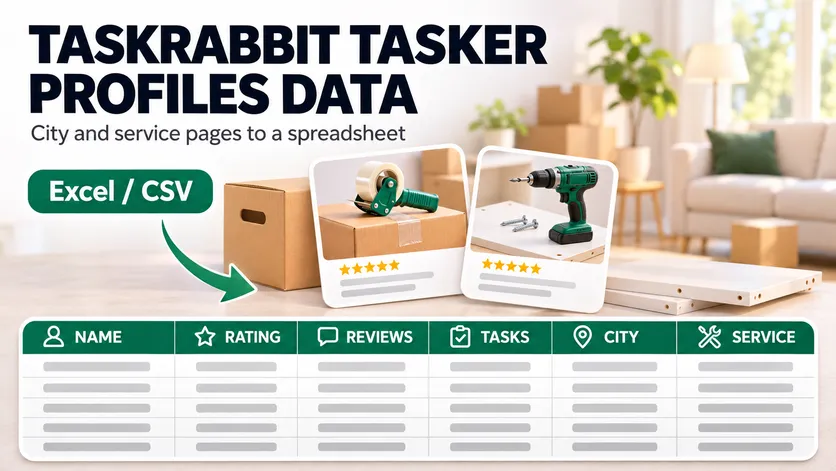
The Taskers TaskRabbit features for one service in one city, such as help-moving in Chicago, delivered as a CSV file with ratings and task counts.
Price and number of rows
What this file is
You get a file with one row per featured Tasker, read from a public TaskRabbit city-service page. A Tasker is a person offering the service you choose.
You can read their displayed name and short biography, view their photo link and compare average ratings and review counts. Completed-task counts and Elite badges help you compare experience. The city, service and country site identify where they are featured. Each page link leads to the city-service page.
Coverage includes United States, United Kingdom, Canada, France, Germany, Spain, Italy and Portugal.
What is inside
Taskers and their experience
You can read displayed names and biographies, open photo links and compare completed-task counts.
Ratings and recognition
You can compare average ratings, review counts and Elite badges across featured Taskers.
City and service pages
You get the city, service and country site, with links to the city-service pages where Taskers are featured.
What people use it for
Research
Study a local gig market
See how many featured Taskers a service has in a city and how they are rated.
Compare
Compare cities or services
Order the same service in several cities and line up ratings and task counts.
Benchmark
Know the top performers
Sort by task count and Elite badge to see who leads each service.
How to order
- Choose a product and the maximum number of rows you want. Presets are shortcuts, not an order-size limit.
- Say what to collect: the country or city, the search words and the other fields the form asks for.
- Check the source, the requested maximum and the total shown at checkout, then pay with one of the methods shown there.
- We collect the rows, remove empty, failed and duplicate records, and put the file on your order page. An account is optional: you can open the order later with its order number and pickup code.
Most orders arrive within 24–48 hours of payment, and delivery is guaranteed within 72 hours of payment.
What you tell us
When you order, you fill in these fields so we know what to collect:
- City as written in the TaskRabbit page address (Required)
- Service as written in the TaskRabbit page address (Required)
- TaskRabbit country site
Example request: City: chicago; Service: help-moving; TaskRabbit country site: United States
Sample preview
| taskerId | name | averageRating | reviewsCount | tasksCount | elite | citySlug | serviceSlug | market | url |
|---|---|---|---|---|---|---|---|---|---|
| EXAMPLE-T-1001 | Jordan E. | 4.9 | 312 | 540 | true | chicago | help-moving | us | https://www.taskrabbit.com/locations/chicago/help-moving |
| EXAMPLE-T-1002 | Sam P. | 4.7 | 88 | 121 | false | chicago | help-moving | us | https://www.taskrabbit.com/locations/chicago/help-moving |
Ways to use the file
- Sort by completed-task count to find the busiest featured Taskers.
- Filter by the Elite badge to compare badge holders.
- Compare average ratings alongside review counts.
Rows have names, biographies and photo links, without phones, emails, addresses or separate category or review rows; links lead to city-service pages.
Good to know
- Each page shows a featured selection, not every Tasker in a city, and one order holds up to 200 rows.
- United States is used when the country is empty; French-Canadian pages and Australia are not supported.
- Phones, emails, street addresses and separate category or review rows are excluded.
- Bookings and keyword or postcode searches are not supported.
Questions and answers
What information is in the TaskRabbit Taskers file?
Each row describes one featured Tasker, with their displayed name, short biography and photo link. You can compare average ratings, review counts, completed-task counts and Elite badges. City, service and country site details show where they are featured. Links lead to the city-service page. Service categories and reviews are not added as separate rows.
How do I enter the city and service for a TaskRabbit order?
Enter chicago in City as written in the TaskRabbit page address and help-moving in Service as written in the TaskRabbit page address; UK furniture assembly is assemble-furniture. Choose the TaskRabbit country site if it is not the United States: United Kingdom, Canada, France, Germany, Spain, Italy or Portugal. Each order gives one row per featured Tasker on that city and service page.
Why does a TaskRabbit order return fewer Taskers than I asked for?
A city-service page shows a featured selection of Taskers, not every Tasker in the city, so one page can give fewer rows; order more cities or services to get more. One order holds up to 200 rows. Rows name each Tasker as the featured page does, with bio and photo link; phones, emails and street addresses are not included. Australia, booking, and keyword or postcode search are not supported.
How can I compare TaskRabbit movers across cities?
Order help-moving for chicago, then the same service for other cities, such as new-york-city, or manchester on the United Kingdom site. Line up average ratings and completed-task counts per city, filter by the Elite badge to see badge holders, and sort by completed-task count to find the busiest Taskers. This shows how a local gig market differs from city to city.
When will my TaskRabbit Taskers file arrive?
Most TaskRabbit orders arrive within 24–48 hours of payment and at the latest within 72 hours. The featured Taskers are read after you order, so the file shows who was featured then. If the page features fewer Taskers than the rows you paid for, the amount for the missing rows is credited to your account balance automatically. Download the CSV from your order page.
Before you pay
We start collecting once your payment is confirmed and send the file to your order page. Most orders arrive within 24–48 hours, and delivery is guaranteed within 72 hours of payment.
If we deliver fewer rows than you paid for, the amount for the missing rows is credited to your account balance automatically. If you buy without an account, the credit is kept with your order until you sign in or create an account; the refund page explains how.